Simple SweetBean Solutions
Create Client & Case
SweetBean lets you create a client profile and open a linked case in one flow, with contact details, notes, documents, billing settings, and activity all connected from day one. As work progresses, updates stay attached to the correct matter so your team can move faster without searching across disconnected tools.
Start Free Trial

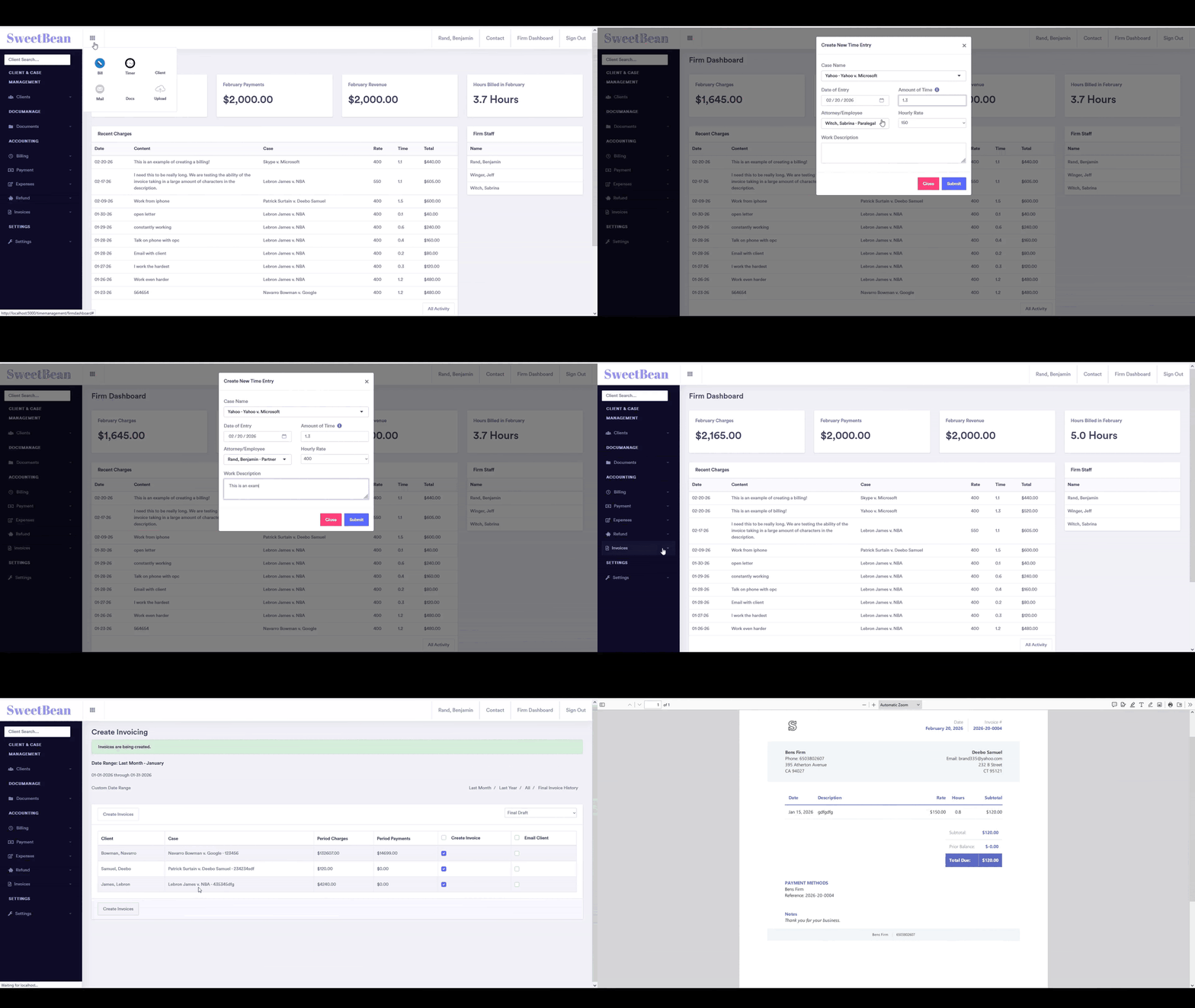
Billing & Invoicing
Capture billable work as it happens, review entries before release, and generate client-ready invoices without re-entering data. SweetBean keeps line items, rates, and matter context together so billing stays accurate and your team can move from completed work to collected revenue with less friction.
Start Free TrialDashboards(Firm • Attorney • Client • Case)
Dashboards are structured by firm, attorney, client, and case so each user sees the right detail at the right time. Leadership can monitor firm-wide activity, attorneys can prioritize billables and tasks, and each matter view keeps status, documents, and recent actions visible in one place.
Start Free Trial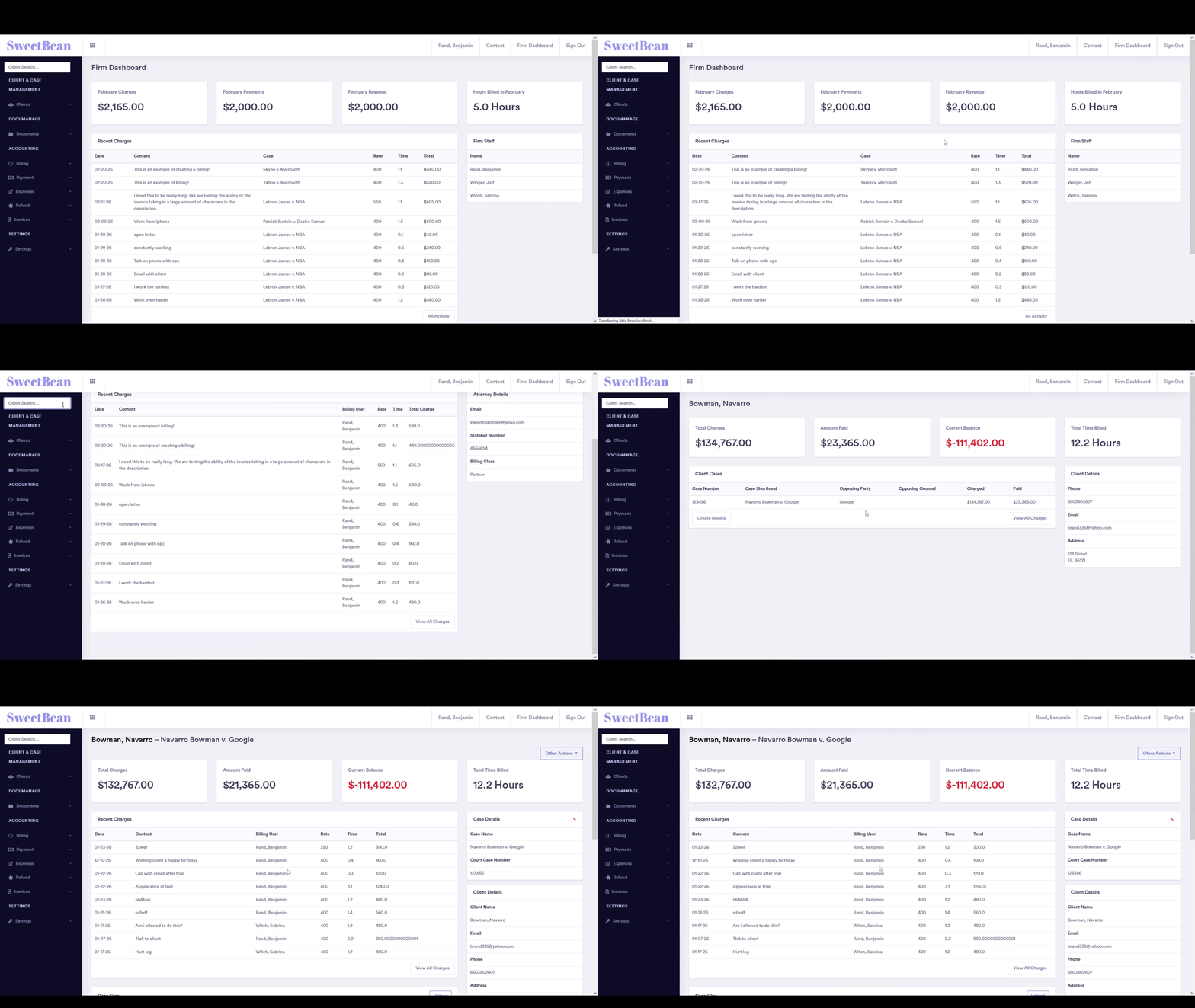
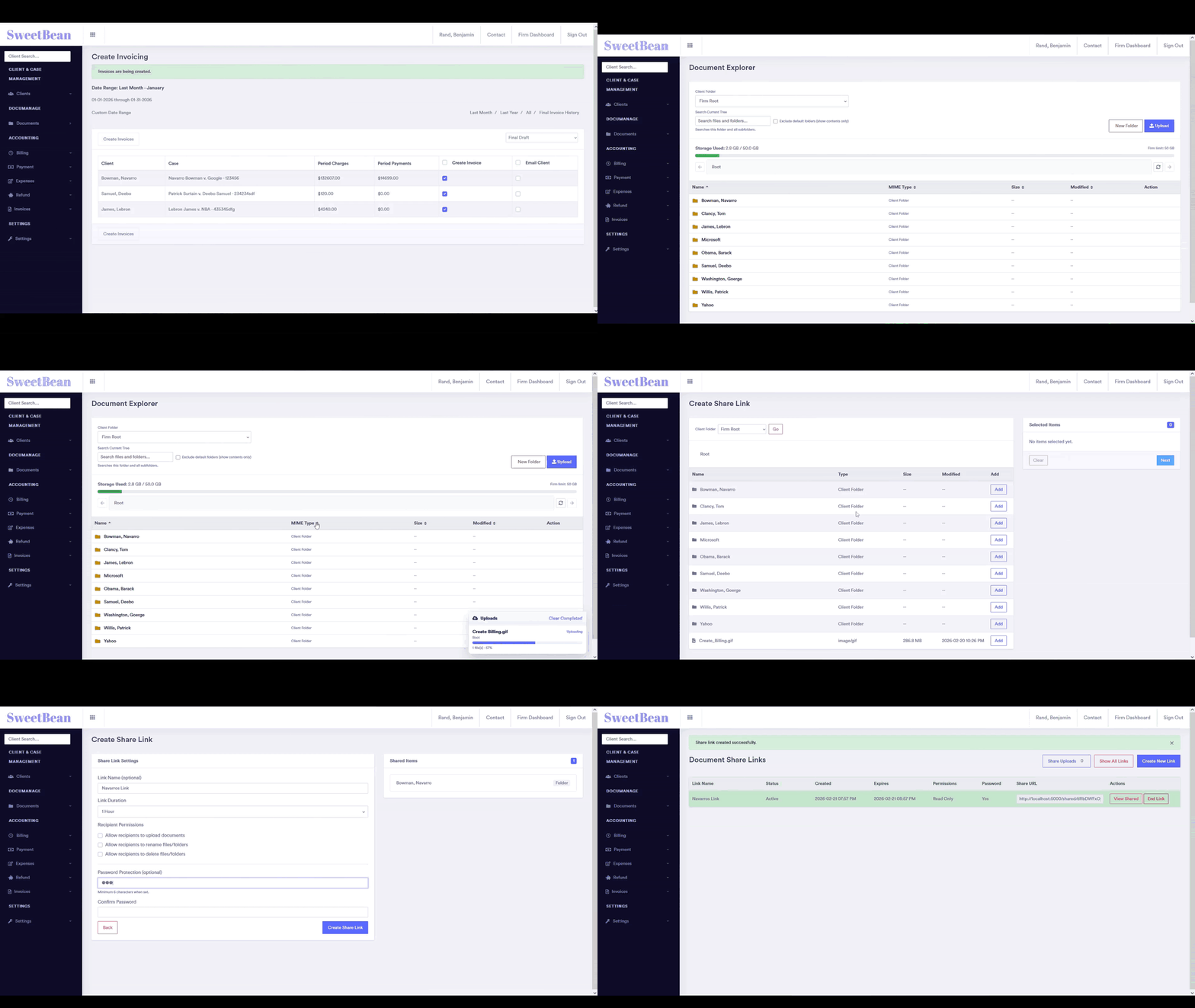
Document Storage, Organization & Sharing
Keep files organized by client and matter with consistent structure, faster retrieval, and fewer version mistakes. SweetBean centralizes storage and supports secure sharing workflows so your team and clients can access the right document at the right time without relying on scattered email attachments.
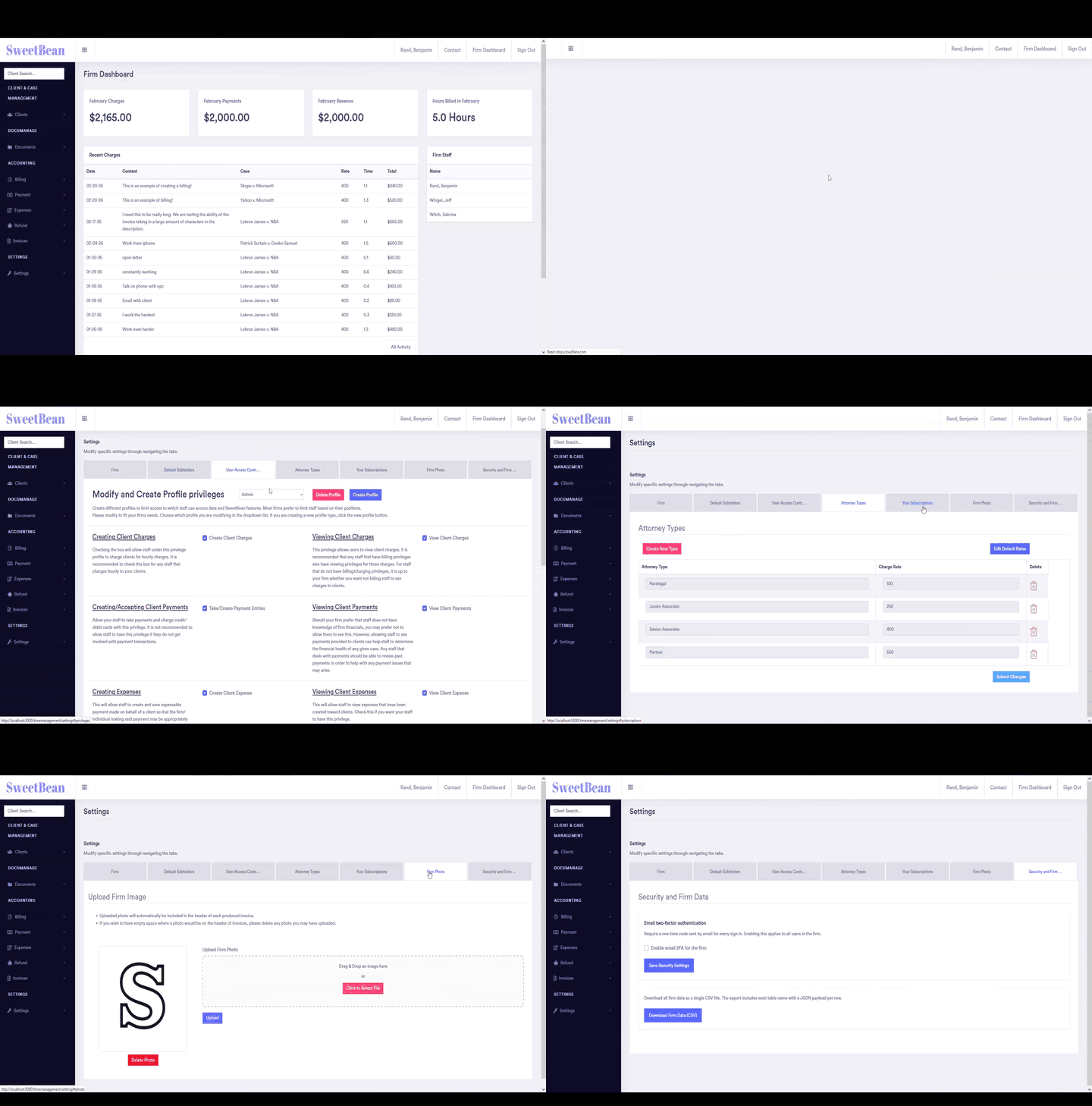
Start Free TrialCustomization & Security for Firms
Configure SweetBean around your firm's workflow with role-based access, controlled visibility, and settings that match how your team actually works. Centralized permissions and case-linked activity help protect sensitive information while giving attorneys and staff the access they need to stay productive.
Start Free Trial